- Product

- Pricing
- Affiliate Program
- Developers
- Resource
 EN
EN
Managing multiple accounts on mobile platforms is no longer just about opening more devices. Teams now need isolated environments, stable proxies, app compatibility, batch operations, automation, and clear permission control.
That is why the cloud phone has become a practical choice for social media teams, e-commerce operators, affiliate marketers, ad verification teams, and app testers. Instead of buying racks of physical phones or relying on local Android emulators, users can run mobile apps in cloud-based Android environments and manage them from one dashboard.
In this guide, we compare five cloud phone solutions for multi-account management in 2026: MoreLogin, GeeLark, VMOSCloud, DuoPlus, and Multilogin.
When choosing a cloud phone for multiple accounts, account isolation should come first because it is a basic security requirement. A reliable tool should help users separate account environments instead of letting different accounts share the same device signals.
Key factors include:
Independent Android environment for each account, with its own dedicated operating system, storage, and app state
Separate app data, cache, cookies, and login sessions, so there is no mixing between accounts
A unique set of device parameters or fingerprints, so each cloud phone works as a separate device environment
Reduced risk of cross-account confusion caused by shared device data
Stable environment persistence for long-term account use
This is important because effective multi-account management depends on clear separation. When each account has its own mobile environment, teams can manage work more consistently and reduce operational mistakes caused by shared devices.
A cloud phone should not only open Android apps. It should provide a mobile environment that can support real daily operations.
Important factors include:
ARM-based Android environment
Smooth app installation and launch
Support for common apps such as TikTok, Instagram, Facebook, Reddit, Telegram, WhatsApp, Shopee, and Amazon
Better scalability than local Android emulators
Stable performance for login, posting, browsing, messaging, testing, and app review workflows
For a deeper comparison, read this guide on cloud phones vs Android emulators.
For multi-account management, proxy support is not just a small feature. It is a critical part of account consistency.
A strong cloud phone should support:
Independent proxy settings for different phone environments
Stable IP connection for each account
Region, timezone, language, and network consistency
Better control for cross-border account operations
Lower risk of mixing unrelated accounts under the same network setup
For teams managing accounts across different regions, cloud phones and proxies should work together. The goal is not just to connect to an IP, but to keep each account environment consistent over time.
When teams manage many accounts, manual operation becomes inefficient, so batch workflows matter because they save time.
Important capabilities include:
Batch app install, launch, or uninstall
Synchronized control across multiple cloud phones
Bulk text input for profiles, comments, captions, or messages
Bulk file upload for images, videos, and documents
RPA, API, ADB, or workflow automation
Scheduled or repeatable tasks for repetitive work across accounts
These features help teams manage multiple accounts more efficiently. Instead of repeating the same action one device at a time, teams can create cleaner workflows for setup, maintenance, content upload, testing, and daily operations.
Multi-account management often involves more than one person. A good cloud phone platform should support team workflows, operational resources, and cost control.
Key points include:
Member management
Role and permission control
Operation logs to monitor team activity
Device assignment and access revocation
Remote access from different locations
Flexible pricing for small teams and large-scale operations
Lower hardware and maintenance cost compared with physical phone farms
Faster onboarding for new team members through standardized environments
MoreLogin is the most balanced option in this list for teams that need cloud phones, browser profile management, automation, and team permission control in the same workflow. Instead of separating mobile accounts and web accounts into different tools, it gives teams one place to manage isolated Android environments, antidetect browser profiles, proxies, and member access.
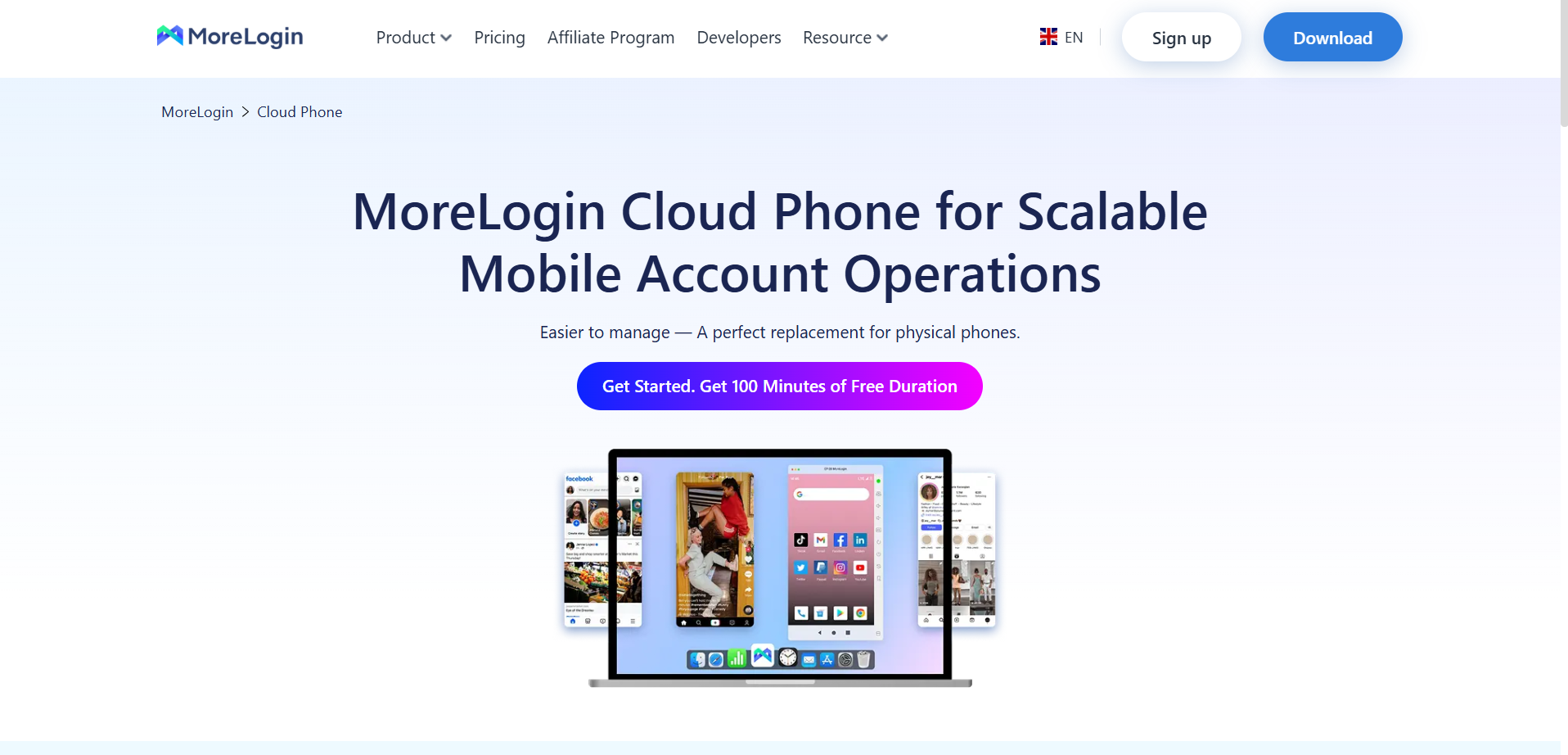
This makes MoreLogin especially suitable for agencies, e-commerce teams, social media operators, and affiliate marketers that need to scale account operations without relying on physical phone farms. Its main value is not only running Android apps in the cloud, but also combining environment isolation, RPA, Synchronizer, API, ADB, and team collaboration into one multi-account management platform.
Runs cloud-based Android environments powered by ARM chips
Provides unique device parameters for different cloud phones
Supports automatic configuration based on the proxy IP region
Combines Cloud Phone with antidetect browser profiles in one platform
Supports RPA for automated mobile workflows
Supports Synchronizer for controlling multiple cloud phones at the same time
Supports API and ADB for advanced automation
Supports batch text input and bulk file upload
Offers team collaboration with permission management
Provides 100 free minutes of Cloud Phone usage for new users
Helps teams manage mobile accounts and browser accounts from one dashboard
Reduces the need to buy, maintain, and organize physical phones
Makes it easier to isolate accounts across different Android environments
Improves efficiency through RPA, Synchronizer, API, and batch operations
Helps teams manage repetitive tasks such as app setup, login, posting, file upload, and account maintenance
Gives admins better control over team access and device permissions
Offers a lower entry cost through free Cloud Phone trial minutes
May be more advanced than what a casual single-device user needs
RPA, API, and ADB workflows may require setup and testing before large-scale use
Teams still need to prepare reliable proxies and proper account operation strategies
Users who only need simple app access may not use the full feature set
Social media teams managing TikTok, Instagram, Facebook, Reddit, and other app-based accounts
E-commerce and marketplace teams handling multiple mobile accounts
Affiliate marketing and ad verification teams
Agencies managing accounts for different clients
Teams that need both cloud phones and antidetect browser profiles
Users who care about RPA, batch operations, synchronized control, and team permissions
You can explore the product here: MoreLogin Cloud Phone.
GeeLark is more focused on social media growth and content-driven account operations. Its cloud phone system is built around the idea that social media teams need native mobile environments, automation, AI content support, and a unified dashboard to scale posting and engagement work.
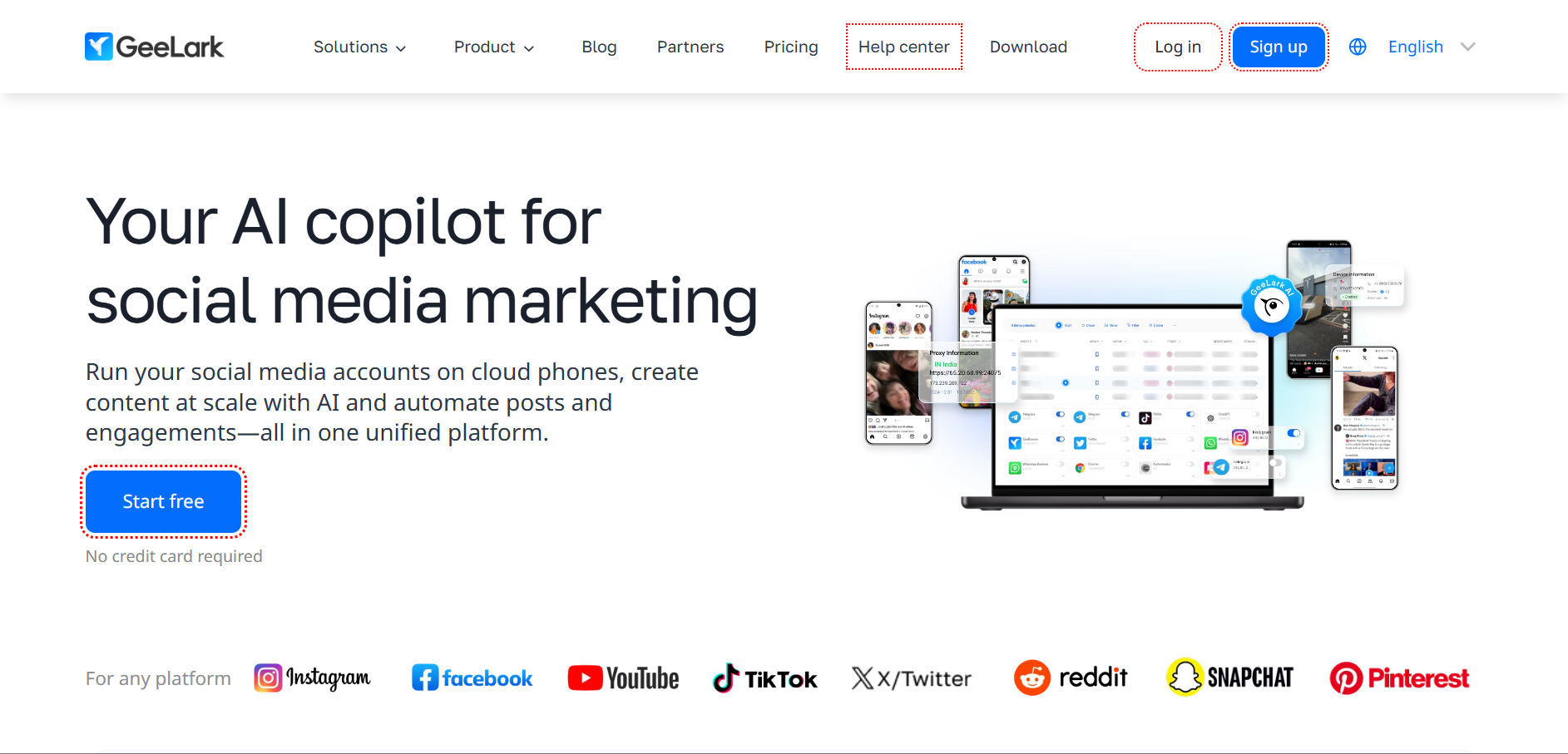
Compared with more technical cloud phone platforms, GeeLark feels closer to a social media operations workspace. It is a strong fit for teams that care about TikTok, Instagram, Reddit, YouTube Shorts, and similar platforms, especially when content production and engagement automation are part of the daily workflow.
Built for social media management and mobile account operations
Provides an independent environment for each account
Allows users to install and run mobile apps such as TikTok, Instagram, and Reddit
Includes AI-powered automation templates for posting, liking, content editing, comments, and other app actions
Provides AI tools for content creation and repurposing
Supports AI analytics for content performance
Offers team collaboration with roles, permissions, and operation logs
Supports use cases such as social media marketing, affiliate marketing, e-commerce, ad verification, and online reputation management
Strong fit for teams focused on social media growth
Combines cloud phone operations with AI content creation
Helps reduce manual posting and engagement work
Makes it easier to manage multiple social accounts from one dashboard
Useful for teams that need both mobile app access and content workflow support
Team permission features help larger groups organize account responsibilities
More focused on social media than general mobile device management
AI content features may not be necessary for teams that already use other content tools
Users looking for deep technical automation may need to check whether it matches their workflow
Browser profile management is not its main positioning
Social media marketing teams
Content teams managing short-form video accounts
Agencies focused on TikTok, Instagram, YouTube Shorts, Reddit, and similar platforms
Teams that want AI content creation and cloud phone operation in one place
Users who need social media automation more than technical device-level control
VMOSCloud focuses on cloud-based Android automation for users who want to grow and manage multiple mobile accounts with AI-assisted workflows. Its positioning is more automation-heavy, with features such as AI Agent, social media automation, Synchronizer, and Team Hub.
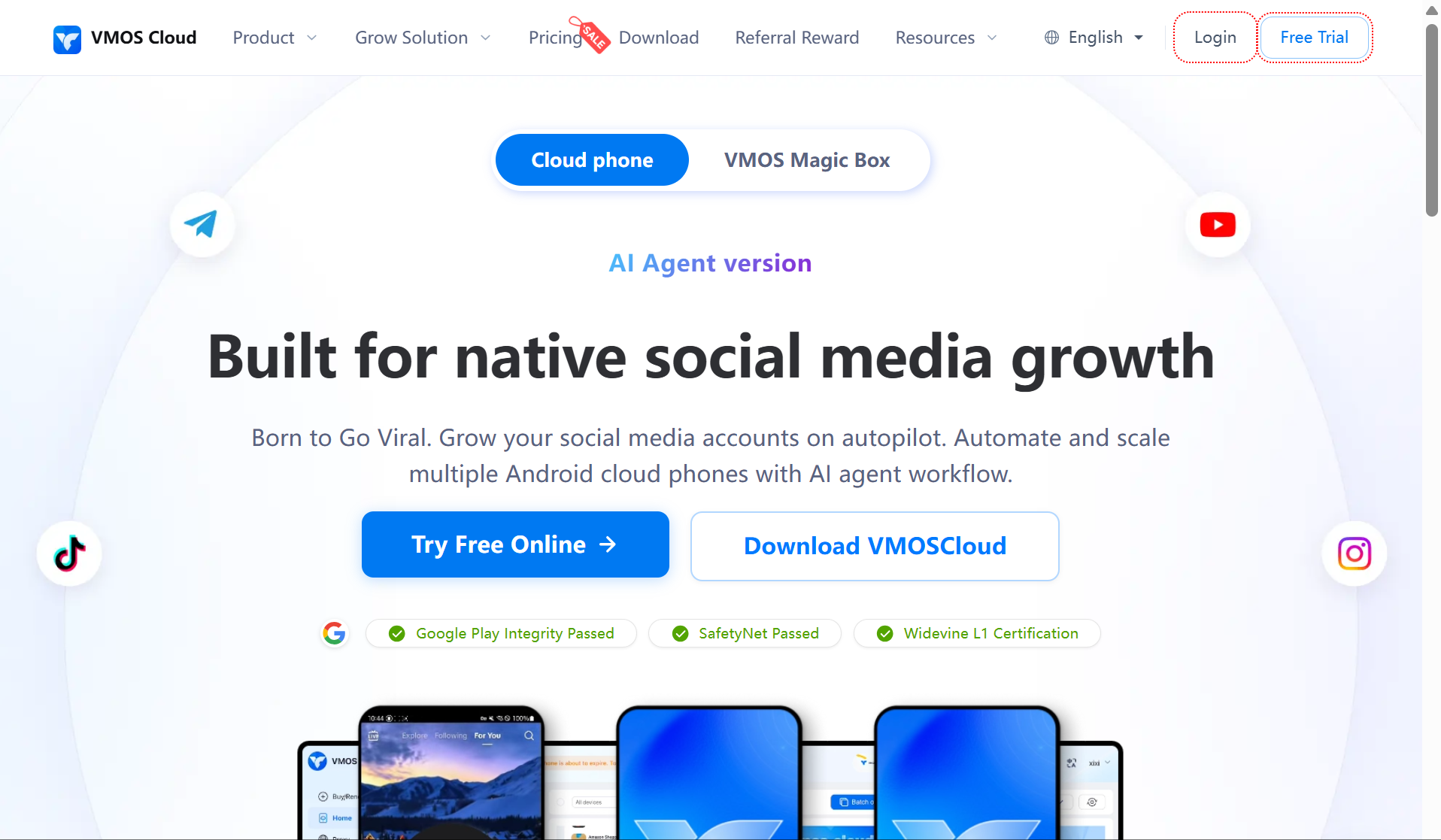
This makes VMOSCloud a practical choice for users who want to reduce repetitive mobile actions across many cloud phones. It is especially relevant for social media growth, crypto airdrops, survey monetization, app testing, and other workflows where repeated Android actions need to be handled at scale.
Provides cloud-based Android devices for social media growth
Supports AI Agent workflows for automated actions
Allows users to manage multiple Android cloud phones from one dashboard
Supports apps such as TikTok, Instagram, Reddit, Facebook, and WhatsApp
Offers social media automation for scrolling, likes, favorites, comments, and trust sessions
Includes account protection features through image system versions
Provides Synchronizer to control multiple devices from one main device
Offers Team Hub for roles and permissions
Supports use cases such as crypto airdrops, survey monetization, app testing, account growth, and e-commerce
Useful for users who want AI-assisted mobile account operations
Helps automate repetitive social media actions
Supports separate Android environments for multiple accounts
Synchronizer can reduce manual work across many devices
Team Hub makes it more suitable for group operations
Covers many growth-focused use cases beyond basic app access
Strong automation positioning may not fit users who only need simple manual control
Users still need to avoid overusing automation in ways that create unnatural account behavior
Teams that need browser profile management may require another tool
Large-scale workflows still need proper proxy setup, account planning, and testing
Social media growth teams
Users who want AI-assisted Android automation
Crypto airdrop and survey monetization operators
App testers and mobile workflow testers
Teams that need synchronized mobile actions across multiple cloud phones
DuoPlus is positioned as an antidetect cloud phone for global mobile account operations. Its strength is in real ARM cloud devices, GPS and SIM data simulation, multi-platform control, bulk app management, and mobile-first account workflows.
For cross-border teams, DuoPlus is useful because many operations depend on region consistency, mobile environment separation, and the ability to manage many app-based accounts from one computer. It is more suitable for users who care about global social media marketing, TikTok operations, live sales, and replacing physical phone farms with cloud-based Android devices.
Provides cloud phones for multi-account operations
Uses real ARM mobile devices deployed in the cloud
Supports global GPS positioning and SIM card data simulation
Supports location and SIM data in many countries
Provides multi-platform control through PC and mobile browsers
Supports bulk app install, uninstall, and launch
Offers one-click environment reskin
Supports one-click sharing for team use
Includes Operation Sync, RPA, API, Android ADB, proxy management, and cloud storage management
Focuses on TikTok operations, global social media marketing, mobile game account workflows, and cross-border workflows
Strong for global mobile account operations
Useful when users need GPS, SIM, and region-related environment settings
Helps replace physical phone racks with cloud-based Android devices
Bulk app management improves operational efficiency
One-click sharing helps teams manage devices together
Operation Sync and automation features help reduce repeated manual tasks
Users still need to configure proxies and account environments carefully
GPS and SIM settings alone do not guarantee account stability
May be more mobile-first than browser-account focused
Teams that need strong browser profile management may need to compare it with other platforms
Cross-border social media marketing teams
TikTok operators and live sales teams
Users who need GPS and SIM-related environment settings
Gaming automation users
Teams replacing physical phone farms with cloud-based Android devices
Mobile-first teams that focus mainly on app-based account operations
Multilogin Cloud Phone is most relevant for users who already understand browser profile management and want to extend that workflow into mobile account operations. Its main appeal is combining cloud Android phones, browser profiles, proxy options, and isolated account sessions in one dashboard.
Compared with mobile-first cloud phone platforms, Multilogin’s advantage is its existing browser profile ecosystem. It makes sense for teams that already manage many web accounts and now need cloud phones for app-based platforms such as TikTok, Instagram, Reddit, and other mobile-first workflows.
Combines cloud Android phones and browser profiles in one dashboard
Supports mobile and browser account management
Keeps sessions, cookies, and device data isolated
Provides cloud Android phones without physical devices or SIM cards
Supports apps such as Instagram, TikTok, and Reddit
Allows users to sign in, post, share, like, and comment from cloud phones
Offers built-in residential and mobile proxies in its platform
Positions itself for users managing social accounts without device limits
Offers a trial starting from $2 based on the provided page information
Useful for users already familiar with Multilogin browser profiles
Helps reduce tool switching between browser accounts and mobile accounts
Built-in proxy options may simplify setup for some users
Suitable for managing both mobile and web accounts from one platform
Good for users who want to extend browser profile workflows into mobile app operations
Cloud phone appears to be a newer part of Multilogin’s product positioning compared with its browser profile business
Users should test app stability, automation depth, and team workflows before scaling
Advanced mobile-first features such as synchronized device control, RPA templates, ADB, or bulk upload should be checked carefully
May be more suitable for existing Multilogin users than for users starting with mobile-first operations
Existing Multilogin users who want to add cloud phone workflows
Teams managing both browser profiles and mobile accounts
Social media operators who want built-in proxy options
Users who prefer one dashboard for mobile and web account management
Teams that already rely on Multilogin’s browser profile ecosystem
Choose MoreLogin if you need cloud phones, antidetect browser profiles, RPA, Synchronizer, API, ADB, and team permissions in one platform.
Choose GeeLark if your main focus is social media growth, AI content creation, and engagement automation.
Choose VMOSCloud if you want AI-assisted mobile automation and synchronized control across Android cloud devices.
Choose DuoPlus if you need global mobile environments with GPS, SIM, proxy, and mobile-first operation features.
Choose Multilogin if you already use Multilogin browser profiles and want to add cloud phone workflows to the same ecosystem.
MoreLogin is suitable for teams that manage both mobile app accounts and browser accounts.
GeeLark is suitable for teams that focus on social media content, posting, and engagement.
VMOSCloud is suitable for teams that want AI-assisted social media automation.
DuoPlus is suitable for cross-border social media and TikTok operations.
Multilogin is suitable for users who already manage social accounts through browser profiles.
MoreLogin fits e-commerce teams that need mobile apps, browser profiles, team permissions, and batch workflows.
DuoPlus fits mobile-first cross-border e-commerce workflows.
VMOSCloud may fit e-commerce teams that need mobile automation and account growth.
GeeLark may fit e-commerce sellers who rely heavily on social media content and traffic.
Multilogin may fit sellers already using browser profile management.
MoreLogin works well when teams need both mobile and browser environments for traffic checks, landing page testing, and account management.
DuoPlus is useful for cross-border mobile traffic and region-based workflows.
GeeLark supports ad verification and social media marketing use cases.
VMOSCloud fits automation-heavy affiliate or traffic workflows.
Multilogin fits users who already rely on browser profiles and want mobile account access.
MoreLogin is strong for RPA, Synchronizer, API, ADB, batch text input, and bulk upload.
VMOSCloud is strong for AI Agent workflows and synchronized mobile actions.
DuoPlus is strong for Operation Sync, RPA, API, and Android ADB.
GeeLark is strong for social media posting and engagement automation.
Multilogin is better for users who want mobile account actions inside a browser profile ecosystem.
MoreLogin is the strongest fit for teams that need both Cloud Phone and antidetect browser profiles.
Multilogin is also relevant for users already working inside the Multilogin ecosystem.
GeeLark, VMOSCloud, and DuoPlus are more focused on cloud phone or social media mobile workflows.
Teams should choose based on whether their work is mobile-first, browser-first, or both.
The best cloud phone in 2026 depends on what kind of multi-account workflow solution you are building.
If your team only needs social media content creation and engagement automation, GeeLark is worth considering. If you want AI-assisted Android workflows, VMOSCloud is a strong option. If you focus on cross-border mobile environments, DuoPlus has useful GPS, SIM, and real-device positioning. If you already use Multilogin for browser profiles, its cloud phone product may be a convenient extension.
For teams that need a balanced platform for mobile accounts, browser profiles, automation, synchronized operations, and team permission management, MoreLogin Cloud Phone is the strongest overall choice. It is especially suitable for growing teams that want to reduce hardware costs, avoid physical phone management, and scale mobile account operations from one dashboard.
New users can also start with MoreLogin’s 100 free Cloud Phone minutes, making it easier to test real workflows with a small batch before scaling.
1. What Is a Cloud Phone for Multi-Account Management?
A cloud phone is a cloud-based Android environment that users can access remotely. For multi-account management, it helps each account run in a separate mobile environment instead of sharing one local device.
2. Is a Cloud Phone Better Than an Android Emulator?
For multi-account operations, a cloud-based Android environment is often more suitable than a local Android emulator because it is easier to scale, manage remotely, and assign to team members. However, the best choice still depends on app compatibility, cost, and workflow needs.
3. Can I Use a Cloud Phone for Social Media Accounts?
Yes. Many users use cloud-based Android devices for TikTok, Instagram, Facebook, Reddit, Telegram, WhatsApp, and other mobile platforms. The key is to keep each account environment consistent and avoid mixing unrelated accounts in the same setup.
4. Do Cloud Phones Support Proxies?
Most professional cloud phone tools support proxy configuration. For serious multi-account work, users should look for stable proxy settings, region consistency, and simple environment management rather than only checking whether a proxy field exists.
5. Which Cloud Phone Is Best for Automation?
MoreLogin, VMOSCloud, and DuoPlus are strong options for automation. MoreLogin is especially suitable for teams that want RPA, Synchronizer, API, ADB, batch input, bulk upload, and browser profile management in one platform.
6. How Many Cloud Phones Do I Need for Multiple Accounts?
It depends on your risk tolerance and workflow. For safer account separation, many teams prefer assigning one account or one account group to one independent mobile environment. For high-value accounts, stronger separation is usually better.
 EN
EN

.png)